Professional Command Line Debugging Tool
CmdNote helps you easily create, manage and debug command line tasks. Export your commands as JSON templates, share and reuse them effortlessly.
Features
Easy Command Creation
Intuitive interface for creating and configuring command line tasks with parameters.
JSON Import & Export
Import and export your commands as structured JSON files for easy sharing and version control.
Simple Operation & Quick Execution
Intuitive and simple operation method to quickly modify parameters and execute commands. Notebook feature for quick reference.
Multi-language Support
Full Chinese and English support for templates and interface.
Usage Guide
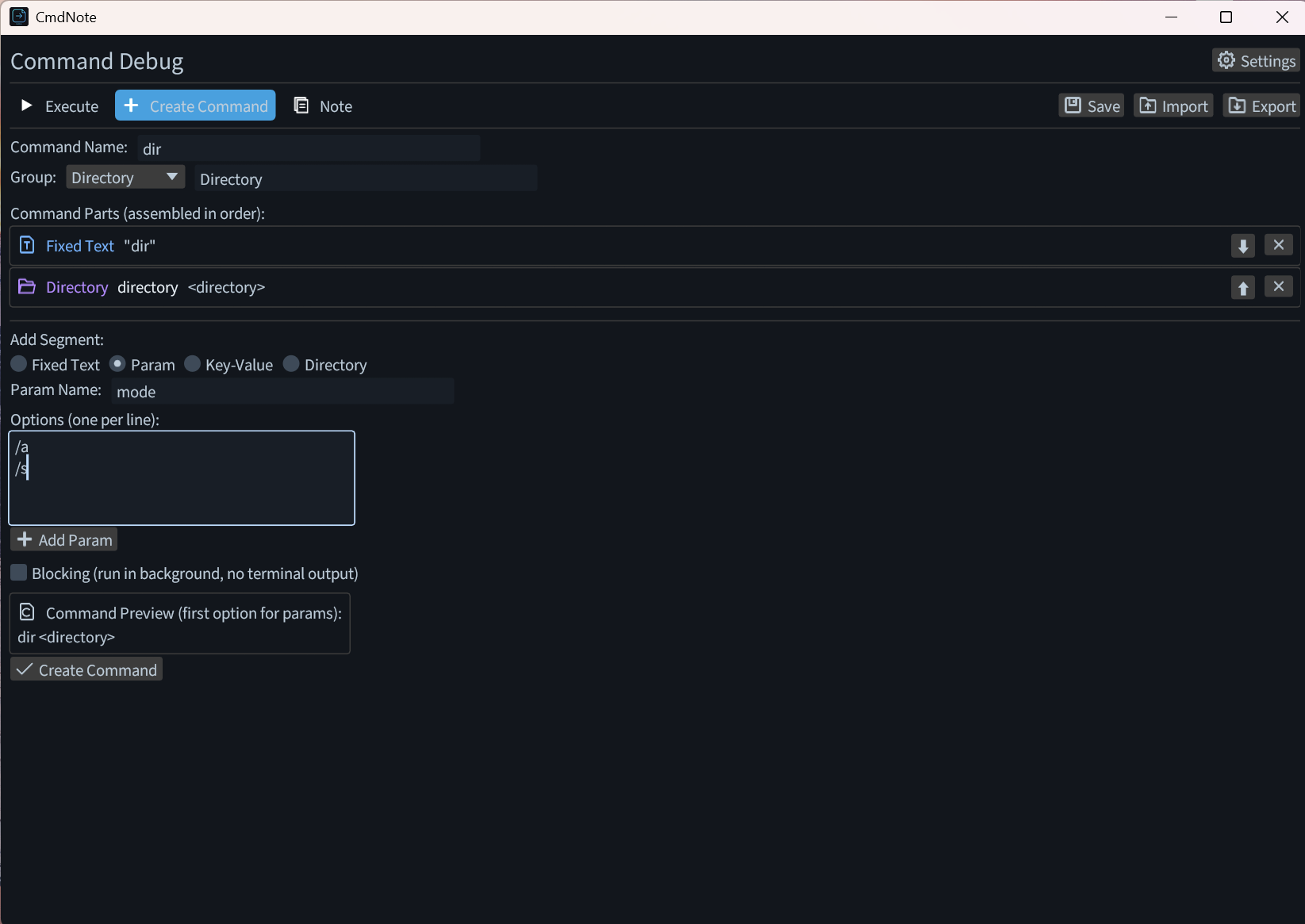
Step 1: Create Command Task
Fill in the command parameters in the creation page. You can set fixed parts, parameters, directory selections, and key-value inputs.
Step 2: Edit Command
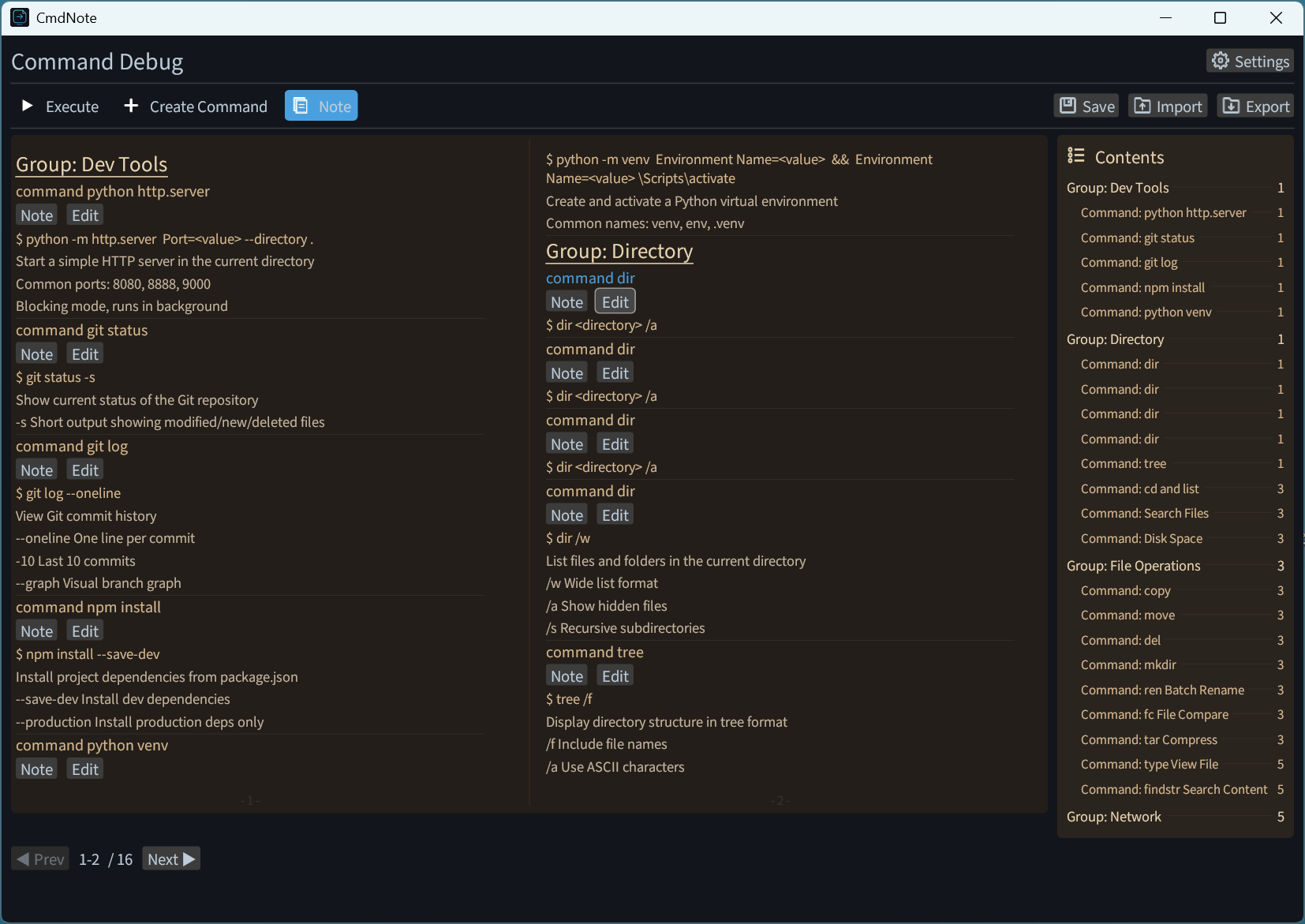
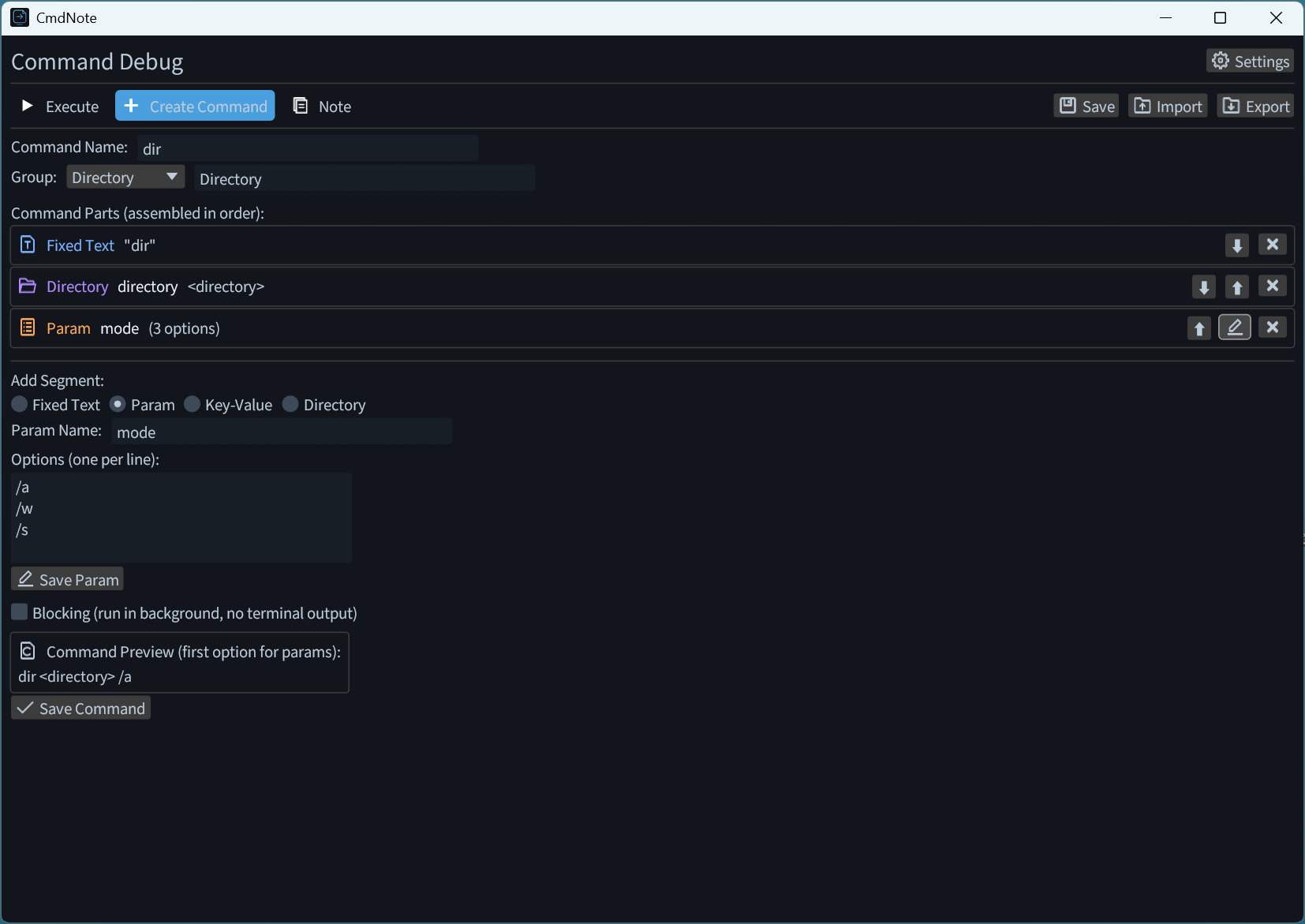
Click the edit button on the note page to modify saved commands. Click the edit button on optional parameters to edit added parameters.
Step 3: View Exported JSON
After creating the command, the system will generate a structured JSON file. You can copy or download it directly.
{
  "command_tasks": [
    {
      "id": 0,
      "name": "dir",
      "parts": [
        {
          "Fixed": "dir"
        },
        {
          "Dir": {
            "key": "directory"
          }
        },
        {
          "Param": {
            "name": "mode",
            "options": [
              "/a",
              "/w",
              "/s"
            ]
          }
        }
      ],
      "is_blocking": false,
      "group": "Directory",
      "note": ""
    }
  ],
  "cmd_next_id": 1
}
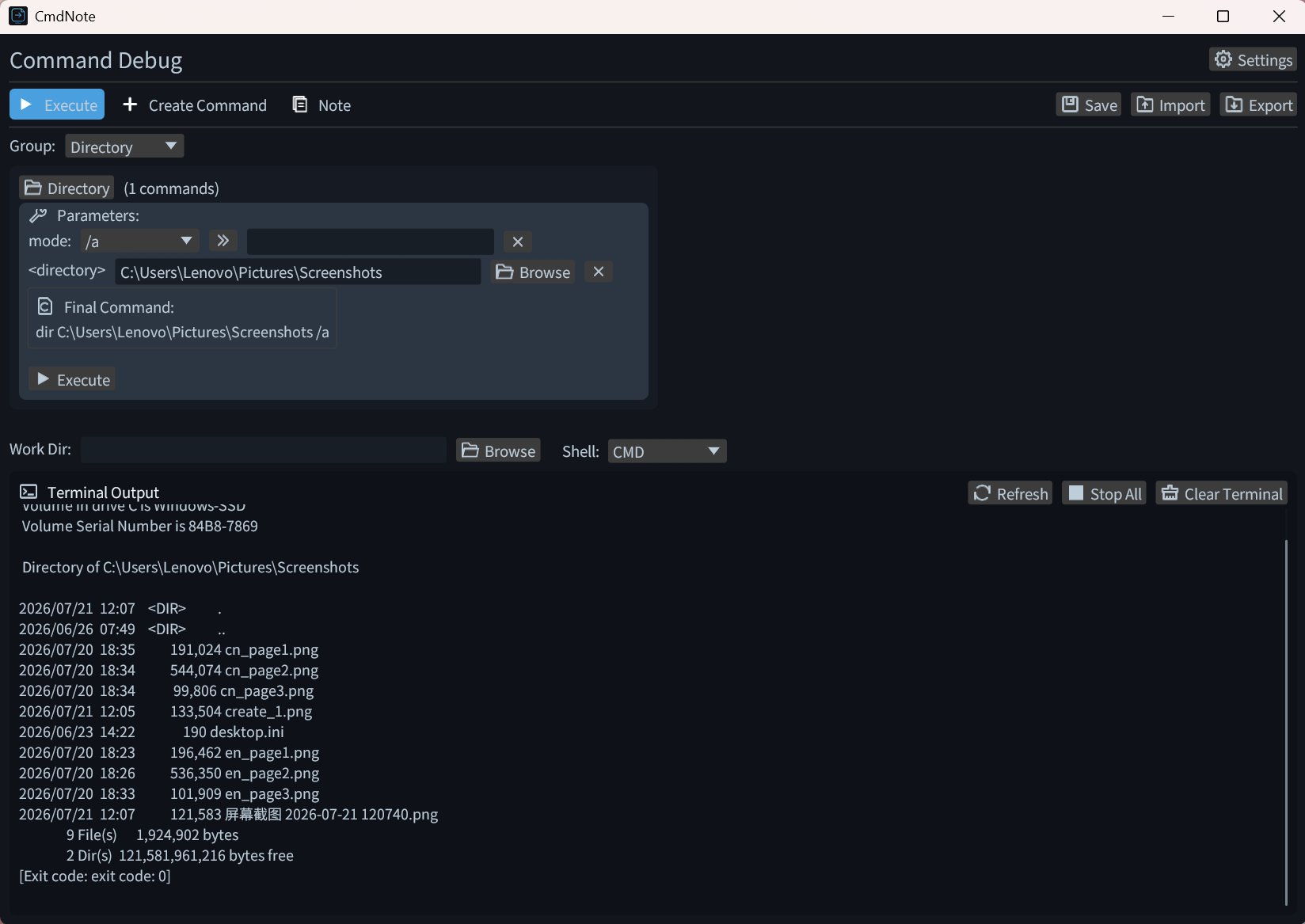
Step 4: Execute Commands
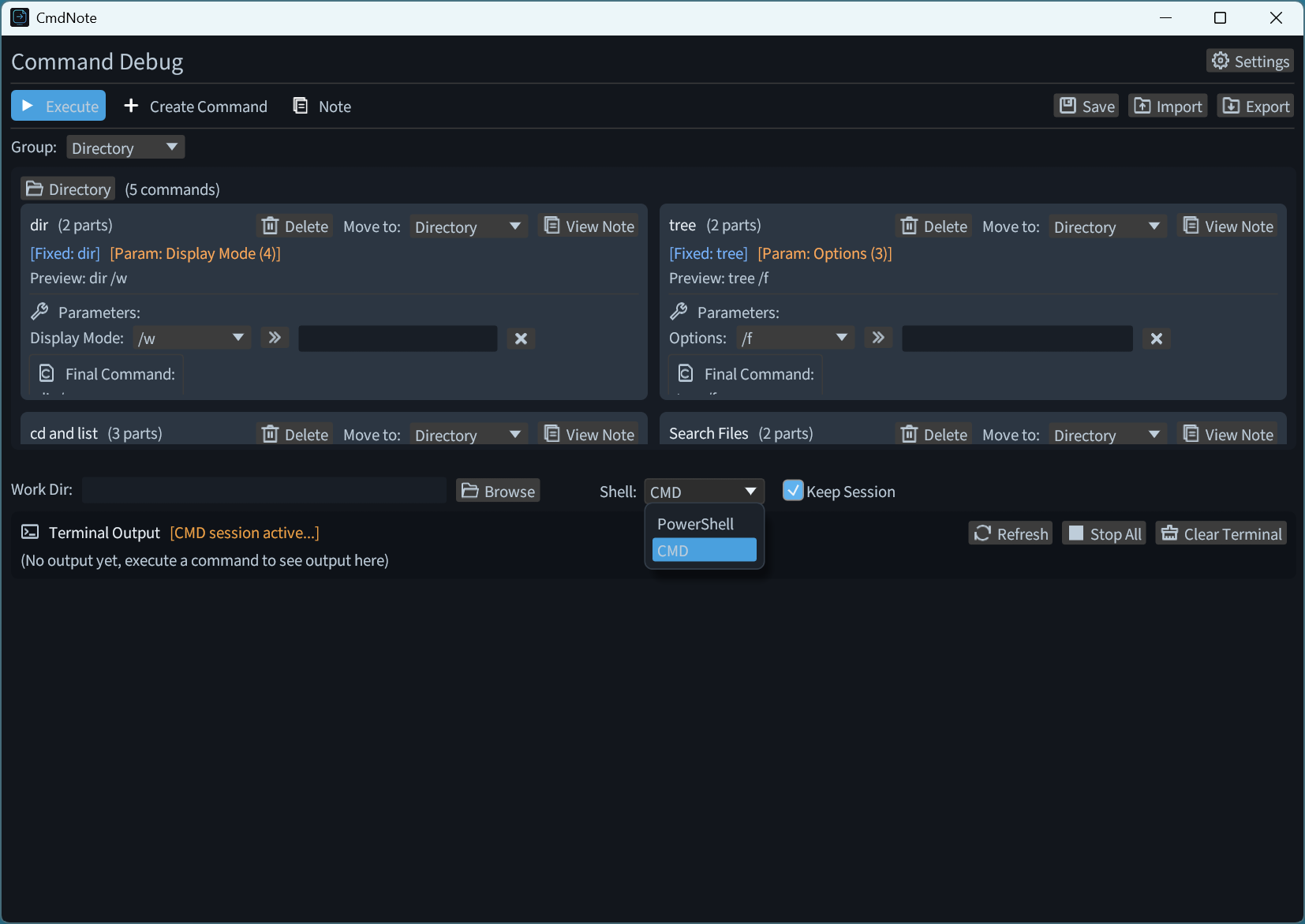
Choose to execute commands in CMD or PowerShell. You can check "Keep Session" to maintain an interactive session after execution, or leave it unchecked to exit automatically. Click "Stop All" to terminate running commands and end the session.
Step 5: Edit Templates
Click the button below to jump to the template library. You can modify the JSON content and download the updated version.
Step 6: Import File to CmdNote
Import the downloaded JSON file into CmdNote to start using your command templates.
Open CmdNote, click the import button, and select your JSON file to load all command templates.
Step 7: Thank You for Using
The software will continue to be updated with new features to make operations more convenient. Thank you for using, and feel free to send your valuable feedback to coulanasaluen@outlook.com.